Musician Log

Keep every lick, piece and exercise together as a snippet

A snippet is one thing you are working on, with everything it needs in one place: a guitar riff, a bass line, a piano piece, a vocal exercise, a sax solo or a drum groove, together with its sheet music, videos and notes.

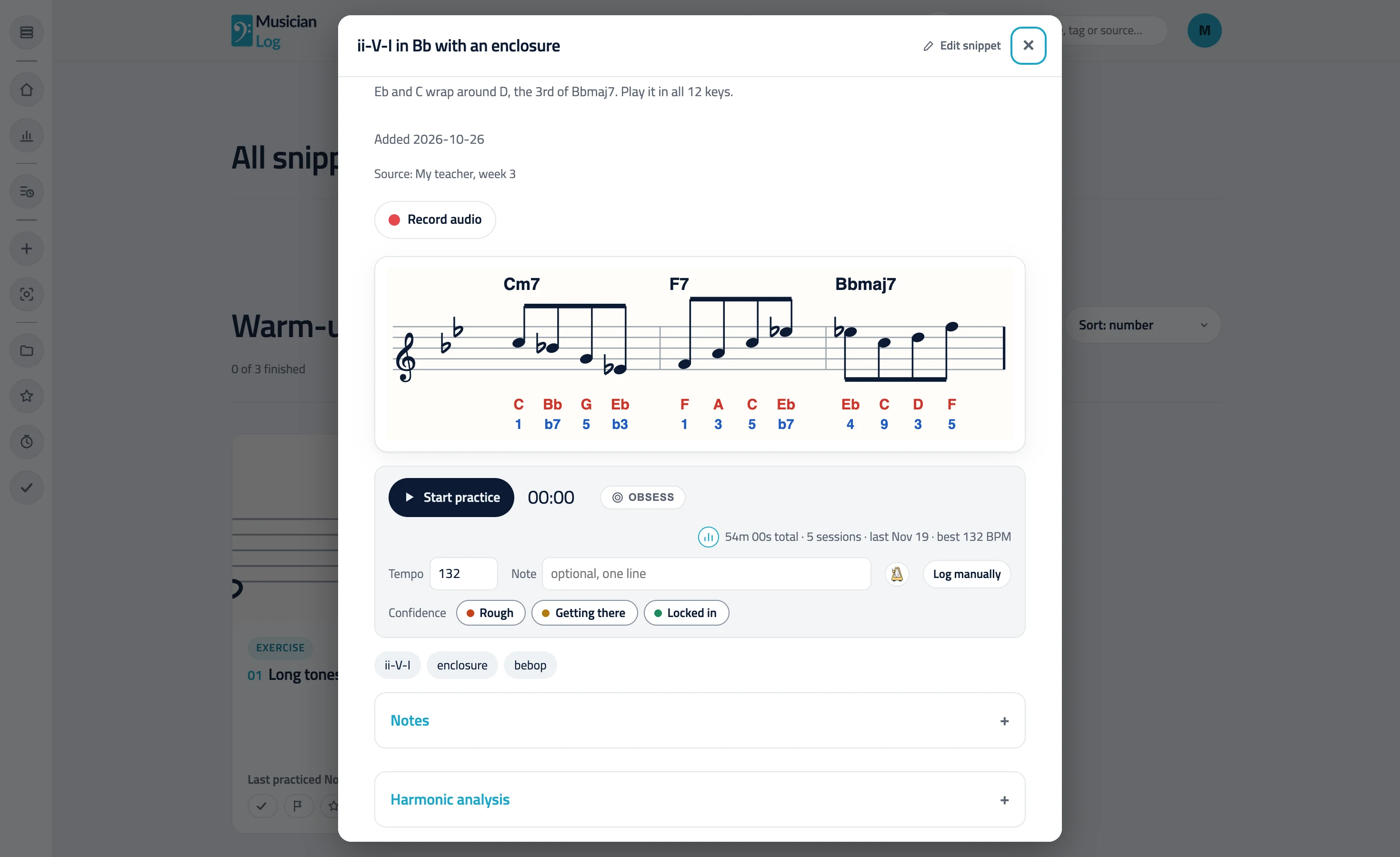
An open snippet: a line over Cm7, F7 and Bbmaj7 with note names and scale degrees, the practice timer, tempo and confidence

Your own menu

Arrange your snippets in sections and folders the way you think about music. It reads like a small personal website, and it replaces the folders of PDFs, YouTube bookmarks and a paper notebook that most of us keep.

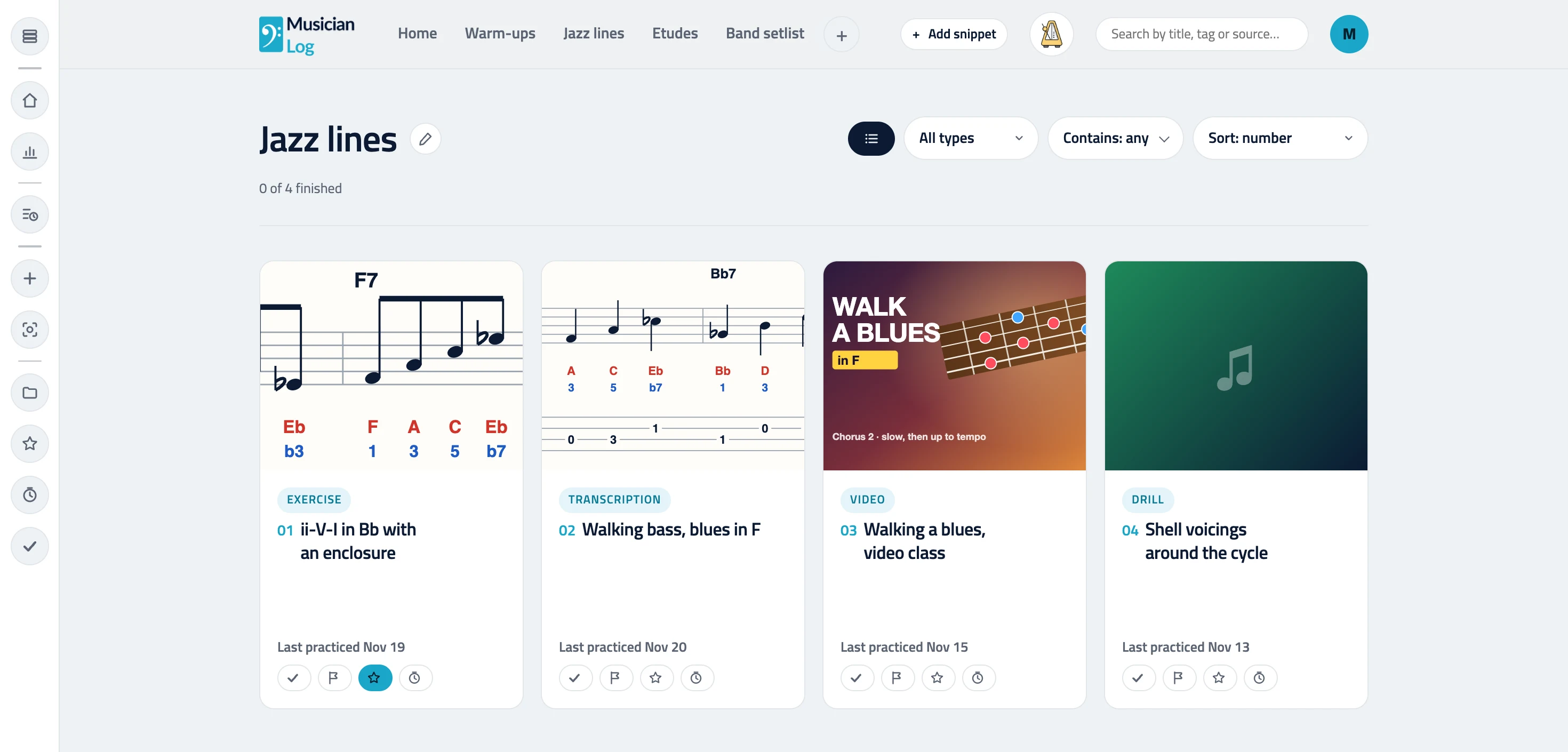
A section of four snippets as a grid: two with sheet music, one YouTube video and one with a colored thumbnail, each card labeled with its type

Everything for one piece, in one place

Add a photo of the sheet music, a PDF, a YouTube link or another video link. With Pro you can also add your own files and short clips. The video plays right on the page, next to the notation, so you do not have to hunt through folders and bookmarks to find the right version.

Notes, tags and sources

Write down what you noticed: the fingering that works, the breath mark, the tempo you reached. Add tags so you can find it later, and record where it came from, such as a teacher, a book, a record or a video.

AI annotation, when you want it

Give it a photo or a PDF page of notation and the AI can write note names and scale degrees onto it for any pitched instrument. For guitar and bass it can also draw TAB. You see the result first and keep it only if it is right.

Find it again, and stay focused

Mark favorites, save a snippet for later, or hide the ones you have finished. Each snippet keeps its own practice history, so you can see how it is coming along.

Questions, answered.

What can I put in a snippet?

Sheet music as an image or a PDF, a YouTube or other video link, plus your own notes, tags and a source. With Pro you can also add your own files and short clips.

Does the AI annotation work for every instrument?

It writes note names and scale degrees for any pitched instrument. TAB is for guitar and bass only. You always see the result before you keep it.

Is my material private?

Yes. Your snippets and your practice history are visible only to your own account, unless you share a section with a link. Your practice history is never part of a shared section.

Can I organize snippets my own way?

Yes. You build your own menu of sections, so a pianist can group by composer, a singer by song or by technique, and a drummer by groove or by style.

Practice one snippet at a time.

Start building