Musician Log

Turn a photo of sheet music into note names, degrees and TAB

Take a photo or upload a PDF of notation, and the AI draws the note names and scale degrees right onto it. It is handy for anyone who wants the notes spelled out, from a pianist with a new score to a sax player learning a solo. For guitar and bass it can also write TAB.

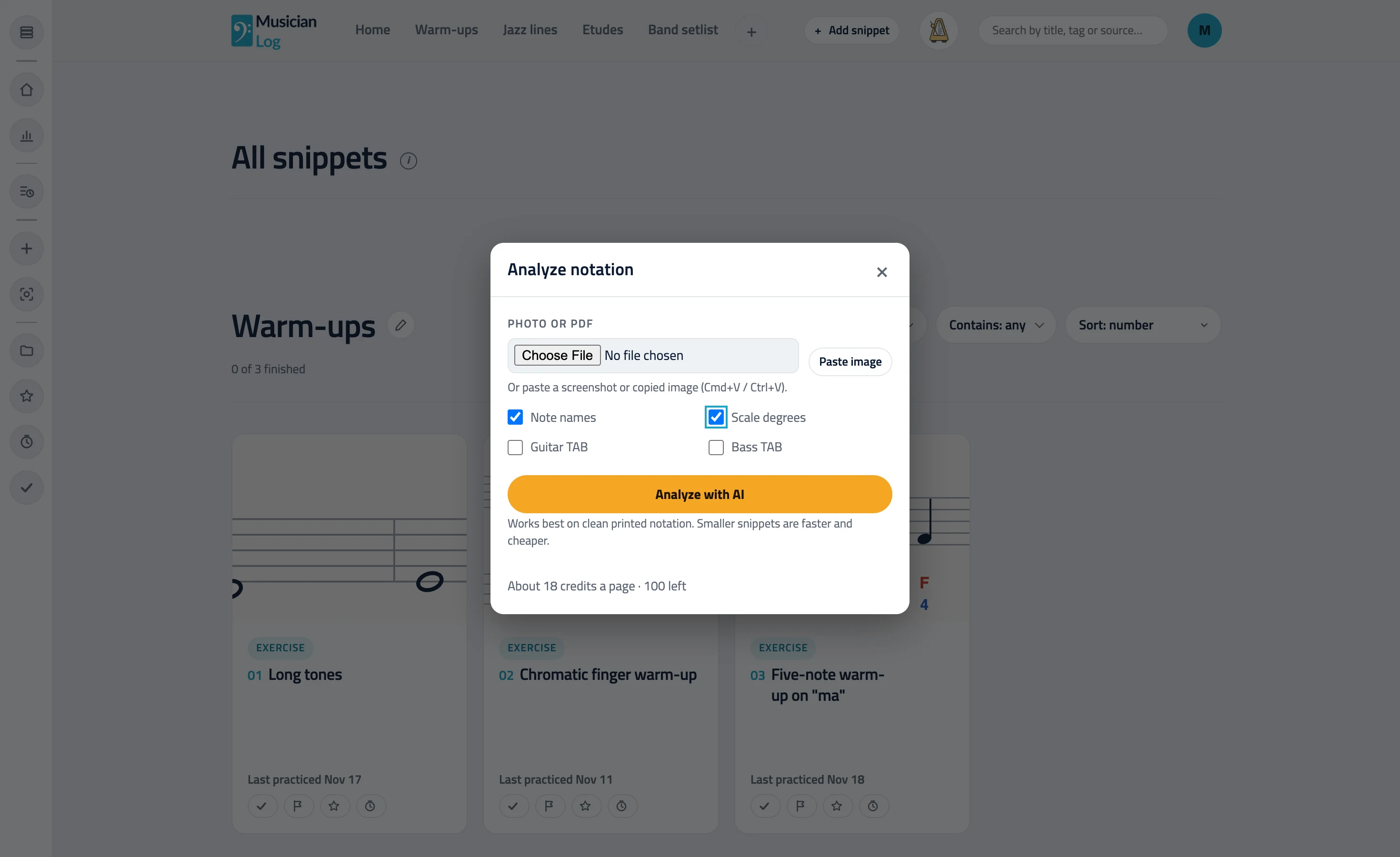
The Analyze notation window: upload a photo or PDF and pick note names, scale degrees, guitar TAB or bass TAB

It lands on the snippet

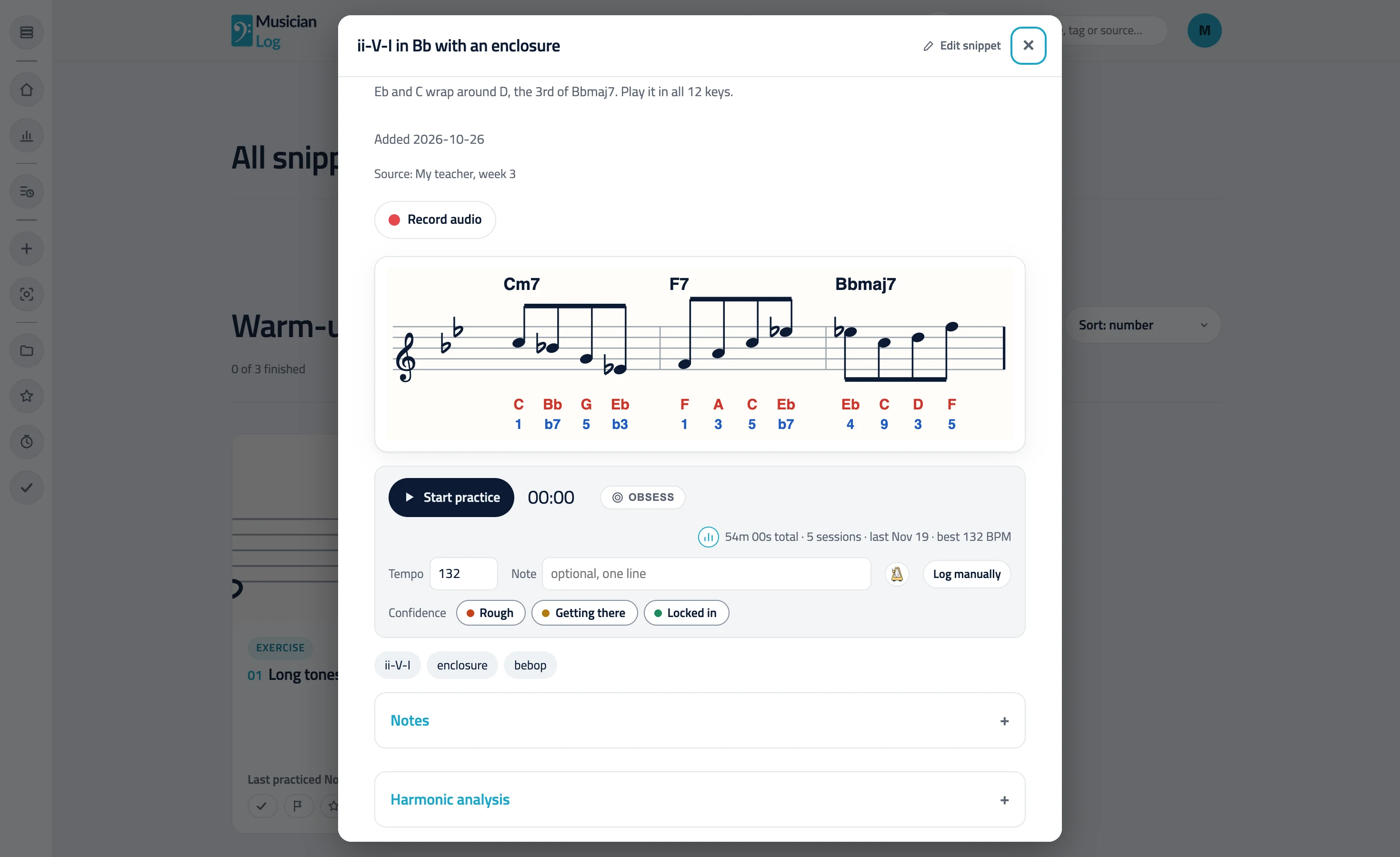
Accept the result and it is saved as notation on your snippet, next to your videos and notes. You can start the analyzer from the add-snippet window, or on its own with the Analyze notation button in the side rail.

An open snippet: a line over Cm7, F7 and Bbmaj7 with note names and scale degrees, the practice timer, tempo and confidence

From a photo or a PDF to an annotated page

Upload a picture of a page, or a PDF. If the PDF has several pages, you pick the one to analyze. The AI reads the notation and writes on top of it, so you keep the original page and gain the labels you wanted.

You choose what gets drawn

Pick up to three of four options at a time: note names, scale degrees, guitar TAB and bass TAB. TAB is drawn for guitar and bass. Note names and scale degrees work for any pitched instrument, from piano and voice to saxophone and violin, and you can run the analyzer again with a different set of options. Scale degrees are read against the chord symbols on the page.

Preview first, keep it only if it is right

An analysis takes about a minute. You see the result before anything is saved, check it against the page, and keep it or discard it. It is a reading helper, so give it a look the way you would check a friend’s transcription.

Questions, answered.

Does it make TAB for every instrument?

No. TAB is for guitar and bass. Note names and scale degrees work for any pitched instrument. It does not do drums.

What can I upload?

A photo or image of sheet music, or a PDF. For a PDF with several pages, you choose the page to analyze.

Is it free?

The analyzer is a Pro feature. Pro includes a monthly allowance of AI credits, and each analysis uses some of them.

What if the result has mistakes?

AI can make mistakes or miss parts, depending on the file you share. You see the result before it is saved. If it is not right, discard it and try again with a clearer photo or a different page.

Practice one snippet at a time.

Start building