A label on every card
The type shows as a small label on the snippet’s card, in the grid and in the list. A section full of songs and a section of warm-up drills look different before you open anything.
Musician Log
Give each snippet a type and your menu tells you at a glance what kind of practice it is. It works the same for guitar, bass, piano, vocals, sax, violin and drums.
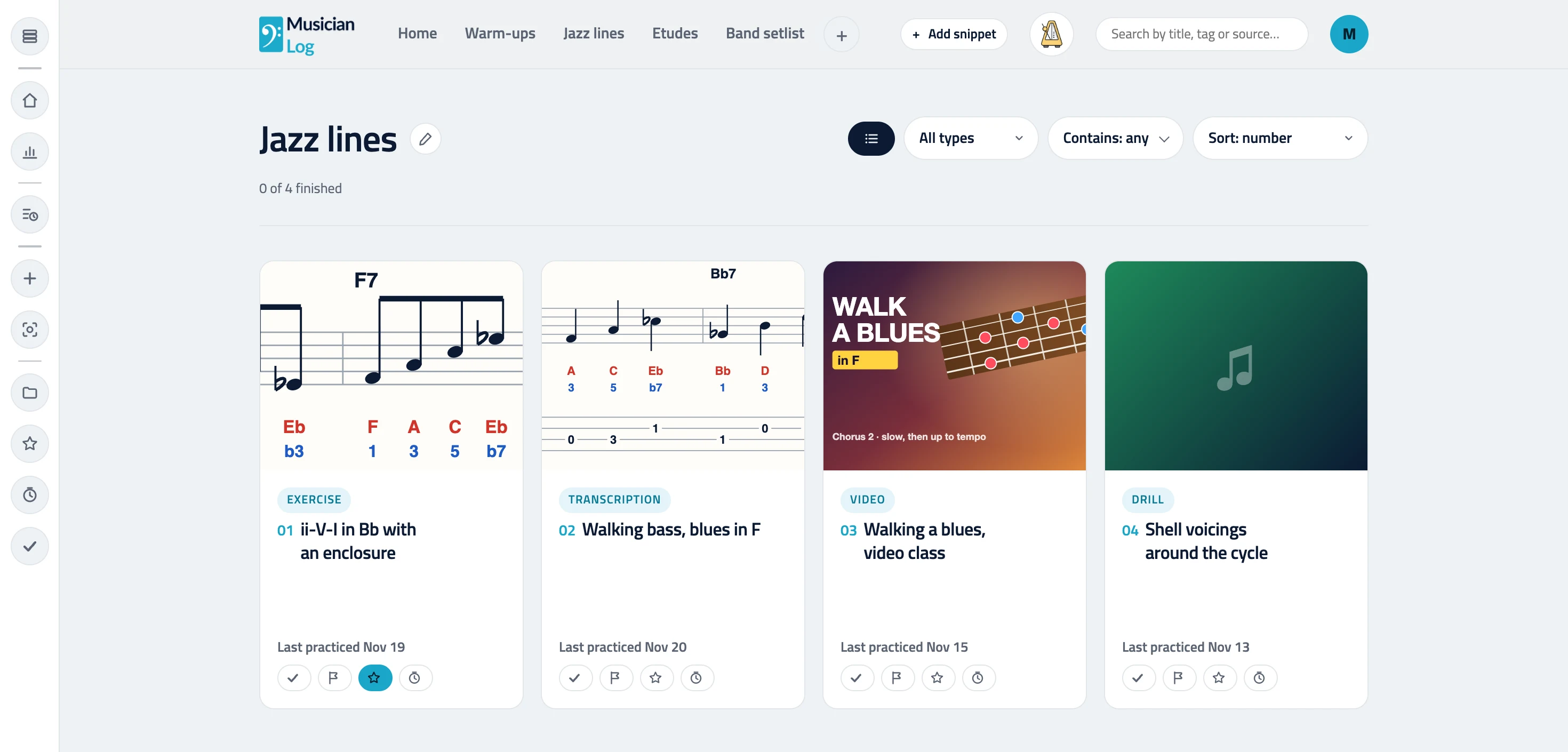
Pick one when you add or edit a snippet. They work the same whatever you play.
The type shows as a small label on the snippet’s card, in the grid and in the list. A section full of songs and a section of warm-up drills look different before you open anything.
Once a section has typed snippets, its toolbar gets a type filter. Show only the songs before a rehearsal, or only the exercises when you have ten minutes before work.
A snippet does not need a type, so nothing breaks if you skip it. Change it any time from Edit snippet.
No. The type is optional. Snippets without one work exactly as before, and the type filter only appears once a section has typed snippets.
Yes. Open the snippet, choose Edit snippet and pick another type.
No. There are eight fixed types, and Other covers anything that fits none of them. Tags are there for your own labels.
Yes. A guitarist might type riffs as songs, a singer warm-ups as exercises, a violinist studies as etudes and a drummer rudiments as drills.